
South Florida’s Favorite Propane Provider!
Our New Mobile App Makes Things Even Better!
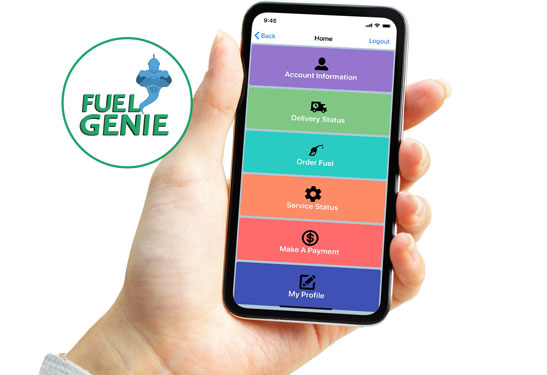 When it comes to delivering propane and providing great service, we’re always looking for ways to rise above the competition and make it easy for you to do business with us. That’s why we’re excited to introduce the new Fuel Genie mobile app! We think you’ll love how it’s made all kinds of tasks and requests easier, from ordering propane to checking and paying account balances—even reviewing past service records!
It’s super easy to get started—all you need is your Pico Propane account number and your email address. You’ll find your account number on your latest printed or emailed statement. Just search for “Fuel Genie” in the Apple App Store or Google Play and download the easy-to-use app.
Then, when you’re ready, click on “Account Login” and follow the prompts to set up your account. Don’t forget to save your password!
Check out all the things you can do once you’ve registered:
- Make secure online payments
- Set up automatic payments
- Request deliveries
- Review statements and payments
- Retrieve or change your password
- Update your contact information or credit card details
Try it, You’ll Like It!
The Fuel Genie app and our online account portal are just the newest ways we’ve developed to help you streamline your to-do list, eliminate paper clutter, and reduce the stress of ordering propane and paying bills. It goes together with other great services and benefits we offer, such as our budget-friendly payment options, automatic delivery service, tank monitoring and more!
Of course, we’re always here for you, and are happy to take your calls. But using the customer portal or app means you can access your account and request deliveries any time that’s convenient for you. Login and create your Pico Propane online account today and make sure to download the Fuel Genie app to discover all the great benefits for yourself!